#Gohighrock
Log Cabin Vacation Rentals blog

Last Minute Getaway?
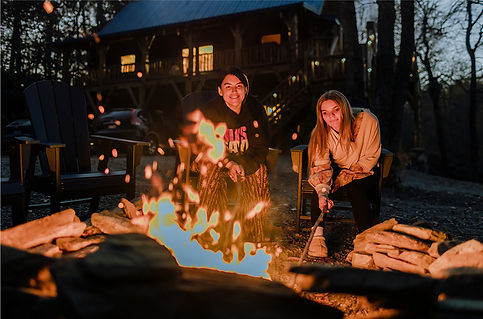
Save Big When You Book Direct
If you’ve been craving a peaceful escape to the mountains, this is your sign to pack your bags and go now!
At High Rock Rentals, we’re making last-minute getaways even more rewarding with a last minute availability saving designed for spontaneous travelers who love a great deal.
Save More When You Book & Stay the Same Week.
Sometimes we have last minute vacancy and you can take advantage of the savings,
when you:
Book your stay within 5 days of arrival
Reserve a minimum of 3 nights
You’ll receive an extra 20% off your entire stay.
That’s right—this is on top of the savings you already get by booking directly with us.
Why Booking Direct Saves You More
When you book through platforms like Airbnb or Vrbo (which you will find us on as well), you’re typically paying up to 18% in additional service fees—and that money doesn’t go to us or toward enhancing your stay.
By booking directly through High Rock Rentals:
-
You avoid those extra platform fees
-
You get better pricing and exclusive promotions
-
You receive personalized service from our local team
Combine that built-in savings with our last-minute 20% discount, and you’re looking at one of the best deals you’ll find in the Blue Ridge Mountains. If your schedule has a little flexibility, this is your opportunity to experience a luxury mountain getaway at an unbeatable price.
👉 Keep our availability calendar handy for those spontaneous travel moments.
Save High Rock Rentals to your home screen for easy access to last minute availability.
Add a shortcut to High Rock Rentals to you smart phone home screen, we will always be right at your fingertips. Here’s how:
iPhone (using Safari):
-
Open Safari and navigate to https://highrockrentals.com/en/rentalcabins
-
Tap the Share button: (a square with an arrow pointing out of the top).
-
Scroll down and tap “Add to Home Screen” .
-
Choose a name for the shortcut: and tap “Add”.
-
The shortcut will appear on your home screen as an icon.
Android (using Chrome or other browsers):
-
Open Chrome (or your preferred browser) and navigate to https://highrockrentals.com/en/rentalcabins
-
Tap the three-dot menu icon: (usually in the top right corner).
-
Select “Add to Home Screen” .
-
Customize the name of the shortcut: if desired, and then tap “Add”.
-
The shortcut will appear on your home screen as an icon.

